Review Comments (0) Screenshots (6) Questions & Answers (0) Votes (0) Awards (11) Wiki  
ESB Consultancy
8.1.2.907
www.esbconsult.com
Shareware
$19.00  Purchase
30 people
Download ESBCalc Pro

2.37 MBDownloaded 263 times

This software was checked for viruses 6 months ago and was found to contain no viruses.
Click here to see antivirus report.
 
Video tutorial for ESBCalc Pro 7.0
Frame
This video tutorial has been acquired from Downloadtube.com

Review

This is official description

Scientific Calculator for Windows Platforms with Infix Notation, Full Exponential Notation support, Brackets, Scientific Functions (Trigonometric, Hyperbolic, Logarithmic - including Base 10, Base 2 & Natural - plus more), Memory, Paper Trail, Result History List, Heaps of Constants, User-defined Constants and Integrated Help.
 
The following review written by one of the Software Informer contributors applies to version 7.0

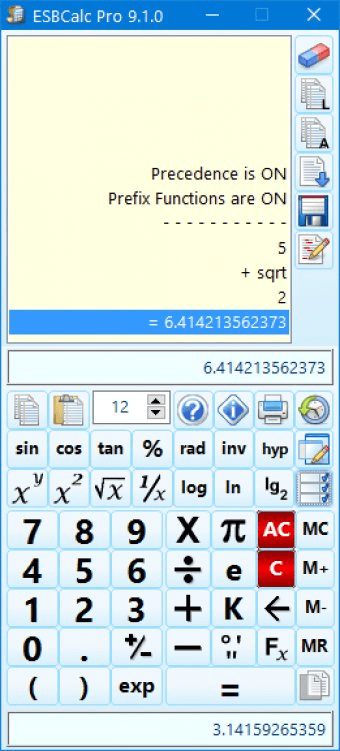
ESBCalc Pro is a handy scientific calculator for Windows Platform. It is a perfect utility for those who are looking for a light-weight, powerful and easy-to-use scientific calculator, which can perform basic as well as scientific calculations including advanced calculations like trigonometric, logarithmic and hyperbolic calculations. ESBCalc Pro is a feature-rich program which provides you with advanced scientific functions with expression editing, prefix functions and custom constants. With ESBCalc Pro ,you can enter values in Degrees/Minutes/Seconds and convert them to decimal. It also enables you to perform hexadecimal/decimal conversions and fractions/decimal conversions. One of the coolest features of ESBCalc Pro is that it allows you to save your calculations for future reference through its paper trail feature. You can also add comments including Date/Time Stamps in paper trails and can transfer values from the Paper Trail back to the calculator. ESBCalc Pro also maintains a result History list, which stores the last 10 entries. ESBCalc Pro is clean and simple in design and is very user friendly. Interestingly, this powerful scientific calculation utility is absolutely free to try.
  • Compatible with most of windows OS.
  • User friendly.
  • Handy and easy to use.
  • Provides users with paper trail and result history list.
  • Supports hexadecimal/decimal conversions and fractions/decimal conversions.
  • Not a free tool.
  • Does not provide support for OS other than Windows.

Reviewed by: Maitri Shah

Reviewer rating:

Reviewed: 2 years ago

What's new in version 8.1

- Minor Improvements to User Interface.
- Library Update.
Report a wrong version Report a wrong program title Suggest a correction

Screenshots

Main window Main window Constants Constants Edit Settings Edit Settings Main Screen Main Screen
All 6 screenshots

Latest comments


There are no comments, be the first one!
Add new comment

E-mail Address:

Password:

Register now »

Forgot password?

Sign in with:
Download Software Informer Client
Copyright © 2012, Informer Technologies, Inc. About| Privacy and terms| Help| Feedback & Support| Partners program